Draw it in 2D.
Build it in 3D.
Two creative studios for iPad and Apple Pencil, made by Yusuf Hughes. Yumi 2D for drawing, painting and animation. Yumi3D for modeling, sculpting and animation. No accounts, no ads, and your work stays on your iPad.
Sketch · paint · animate
Yumi 2D
A painting and drawing studio made for iPad and Apple Pencil. Sketch, ink, paint and animate in one app.
Brushes that feel right
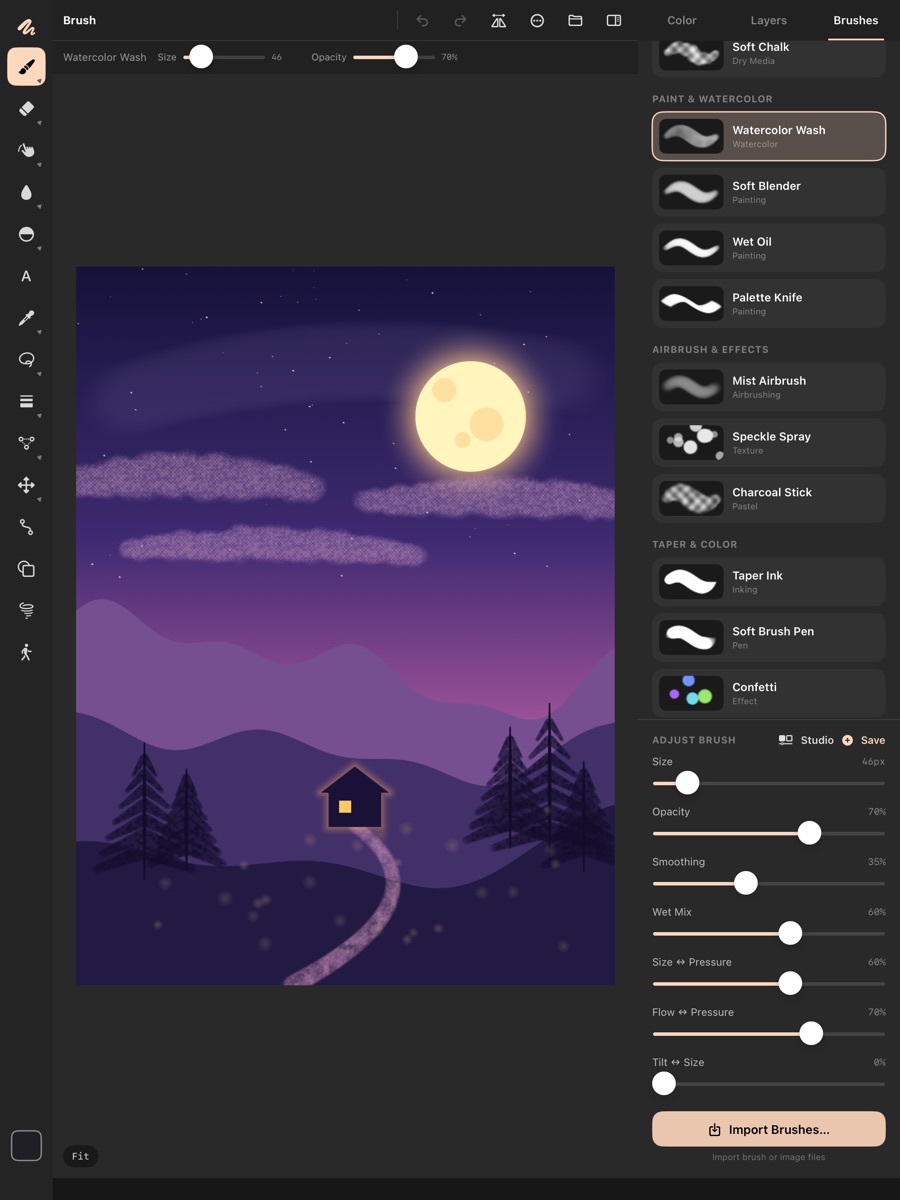
Pressure, tilt and a stabilizer on every brush, with a per-brush pressure curve. Wet paint that picks up and mixes the colours already on the canvas. Tapered strokes, colour jitter and two-tone brushes. Design your own in Brush Studio, or import brushes and textures.
Apple Pencil Pro ready
Hover to preview your brush before it touches the canvas. Squeeze for a quick palette, barrel roll to turn flat brushes, and double-tap to switch tools.
Layers like a pro
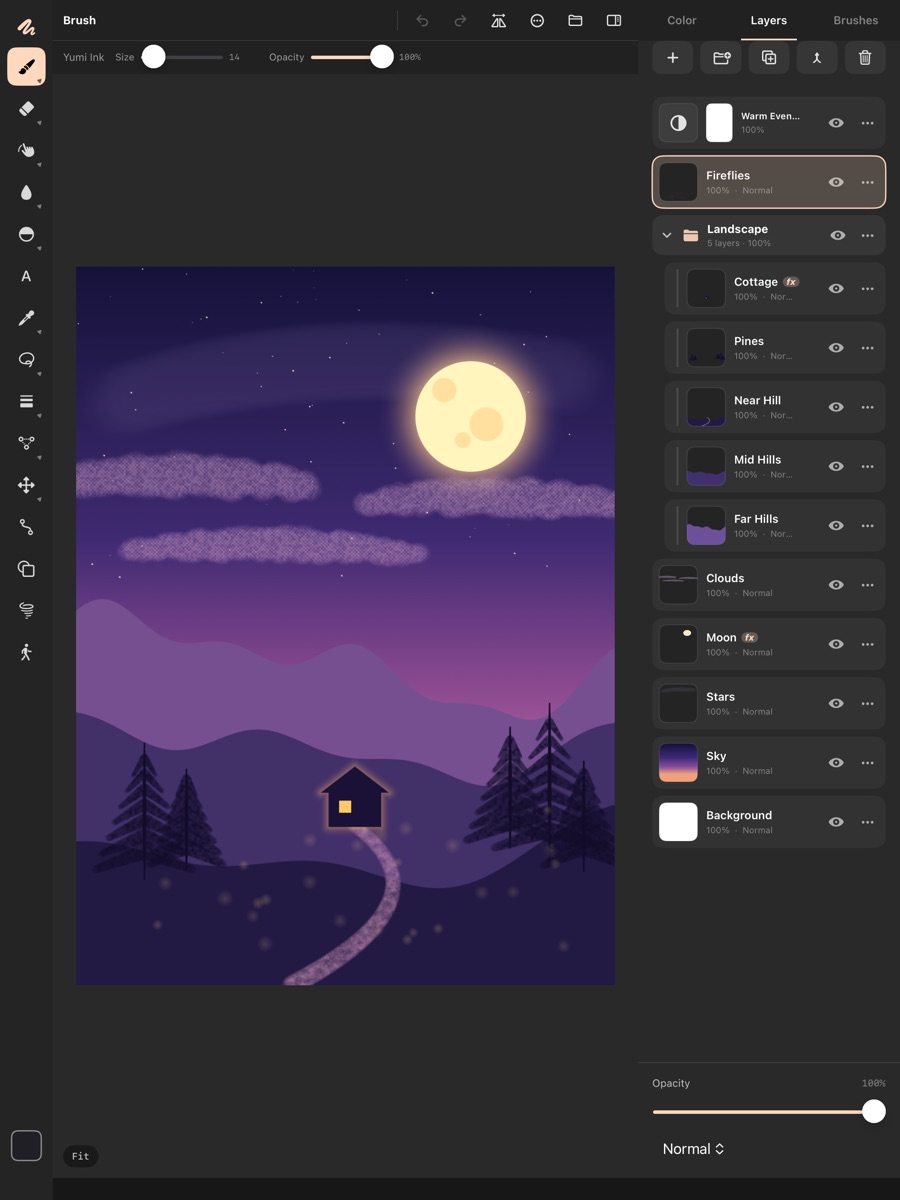
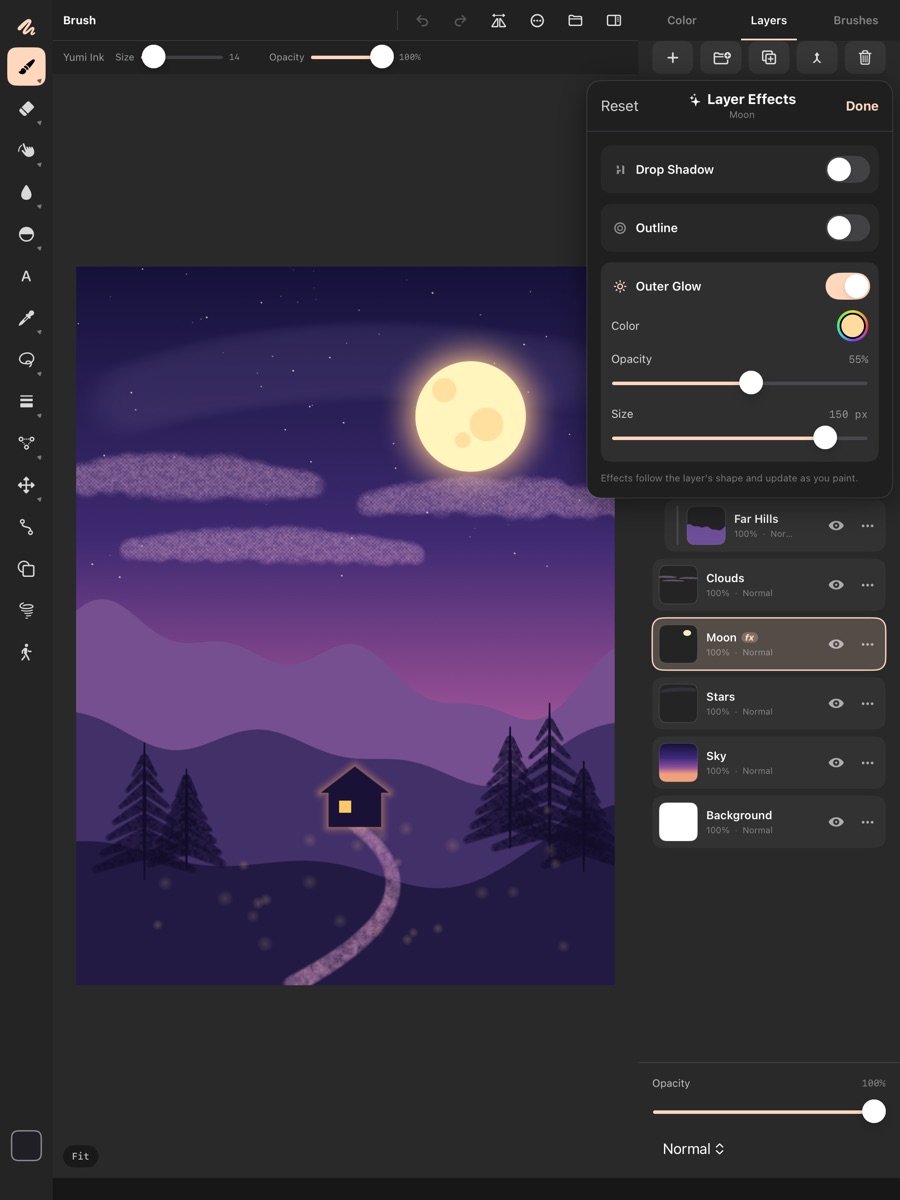
Groups, masks, clipping, alpha lock and 24 blend modes. Adjustment layers for Levels, Curves, Hue/Saturation, Color Balance, Gradient Map and more. Layer effects: drop shadow, outline and outer glow.
Model · sculpt · animate
Yumi3D
A full 3D studio for iPad, built on a custom Metal viewport. Sculpt with your Pencil, paint real materials, rig a character and make it move, all in one app.
Every step, one scene
Switch workspaces with the tabs at the top of the screen. Your model stays the same in every one.
- ModelPrimitives, 3D text, Bezier curves, Pencil-drawn sweeps and lofts, bevels, and sculpting with dynamic topology.
- RetopoDraw clean quad topology over a sculpt.
- UVMark seams with a stroke, unwrap, pack islands and lay out UDIM tiles.
- TexturePaint PBR materials in layers, add smart materials, bake and paint through stencils.
- RigFit a humanoid skeleton from a few markers, then bind and paint weights.
- AnimateAuto key, onion skin, a dope sheet, a graph editor and IK posing.
- VFXParticles, cloth, soft and rigid bodies, colliders and force fields.
Your art stays yours
Both apps are made by Yusuf Hughes, who wanted creative tools that respect the people using them.
Questions or bugs? Email [email protected]. You'll usually hear back within two working days.
- No accounts
- Open the app and start making. Nothing to sign up for.
- No ads, no tracking
- Neither app collects any data about you.
- One price, everything included
- No subscriptions and no in-app purchases.
- Works offline
- Paint on a plane. Sculpt in the park.